

Datgel View — Web GIS portal for your gINT data

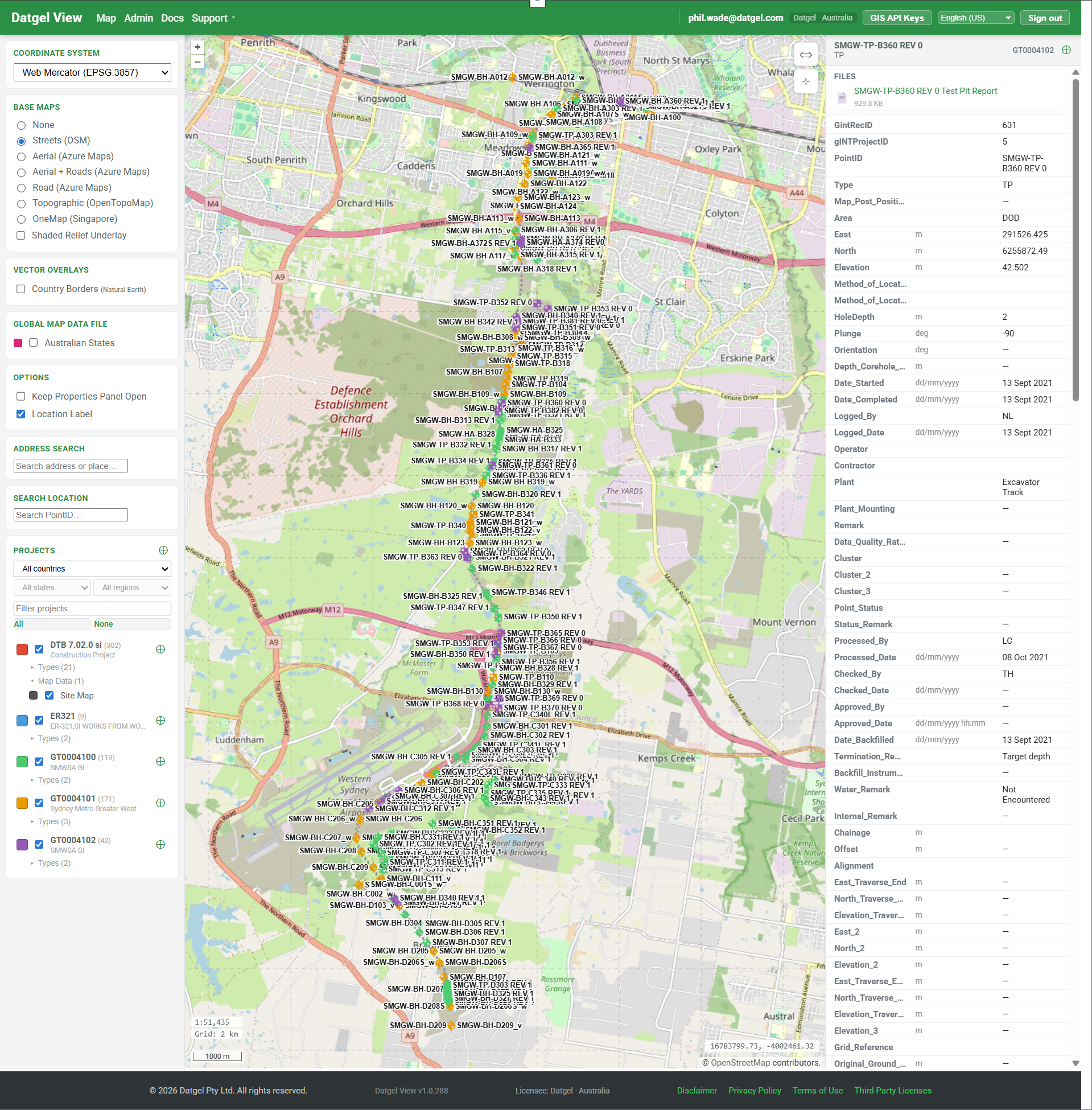
Web GIS portal for your gINT data. Share borehole locations and logs with your team and clients — no software install, no per-user training.
Try it free for 14 days See plans & pricing
What it does
| Map your gINT points Every PointID from your gINT SQL Server database, on an interactive web map with per-PointType symbology and per-project colours. | Share with clients Per-project access for external users. Photos and PDF logs attached to points so the engineer doesn't have to email them. | Connect QGIS, ArcGIS & Leapfrog OGC API endpoints for fast tiles and live vector features, plus Datgel Leapfrog Sync for Seequent Leapfrog Works models. Your specialists keep the desktop tools they know, fed by live gINT data. |
How it fits with gINT
gINT remains the system of record. Datgel View reads from your existing gINT SQL Server database — no migration, no parallel maintenance, no risk to your investigation history. Everything you do in gINT is reflected in Datgel View on the next page load.
Built for geotechnical work
- PointType-aware symbology (BH, TP, CPT, CPTU, SCP, plus any custom types)
- Per-project access control by 10Duke organisation
- Photo and PDF log attachments per point
- Custom GeoJSON / KML / Shapefile overlays per project or site-wide — click any feature to see its attributes
- Georeferenced raster imagery (GeoTIFF) and a wide range of upload formats up to 500 MB — including AGS, GPJ, GEF, CAD, and point-cloud data
- Multiple basemaps including OpenStreetMap, Azure Maps aerial, OpenTopoMap
- OGC API endpoints (Tiles + Features) for QGIS, ArcGIS Pro, and other modern desktop GIS clients
- Project Locations — pin each project's office on the map; draw, bulk-import from CSV / GeoJSON, or geocode an address
- Saved map views — snapshot basemap, viewport, layer visibility and opacity; personal, deployment-wide, or per-project defaults
- Searchable in-app documentation — every admin screen deep-links to the relevant help article
- Scales to 50,000+ projects per deployment with server-side pagination and viewport rendering
- 50+ regional Coordinate Reference Systems out of the box
New this season
| Leapfrog Works integration Datgel Leapfrog Sync, a Windows companion app, keeps Seequent Leapfrog Works models current with your gINT boreholes — collar, survey and interval CSVs refreshed in two clicks, from the command line, or on a daily schedule. | Work in your language The full interface now ships in 23 languages — English plus 22 more, from French, German and Spanish to Thai, Vietnamese and Chinese — with locale-aware date and number formats. Each user picks theirs in Preferences. | SQL Query Workbench Run validated SELECT queries against your gINT source database from the browser — saved queries, spatial point selection on the map, and a plain-English AI SQL builder. |
Deploy on your infrastructure or ours
| Self-host (Docker) Runs on your hardware or your Azure subscription. Datgel View connects to your existing gINT SQL Server. Data never leaves your network. You control updates. | Datgel-managed Azure We run it for you. Daily backups, monitoring, security patches, application updates. You provide gINT SQL access; we handle the rest. |
More on hosting and security »
Ready when you are
Start your free 14-day trial Compare plans
Other pages: For geotechnical consultants · QGIS & ArcGIS integration · Security & hosting · Getting started
If you are an existing member, Log in here to access brochure